
- NAS vs server
- NAS vs file server
- NAS storage vs server
- NAS for business
- NAS vs dedicated server
- NAS server comparison
- network attached storage
- NAS vs server storage
- NAS vs server for small business
- difference between NAS and server
- what is the difference between NAS and server
- should I buy a NAS or a server
NAS vs Server: What's the Difference? Which Do You Need?
Compare NAS vs server for storage, performance, cost, security, and business use. Discover the right solution for your home or business.
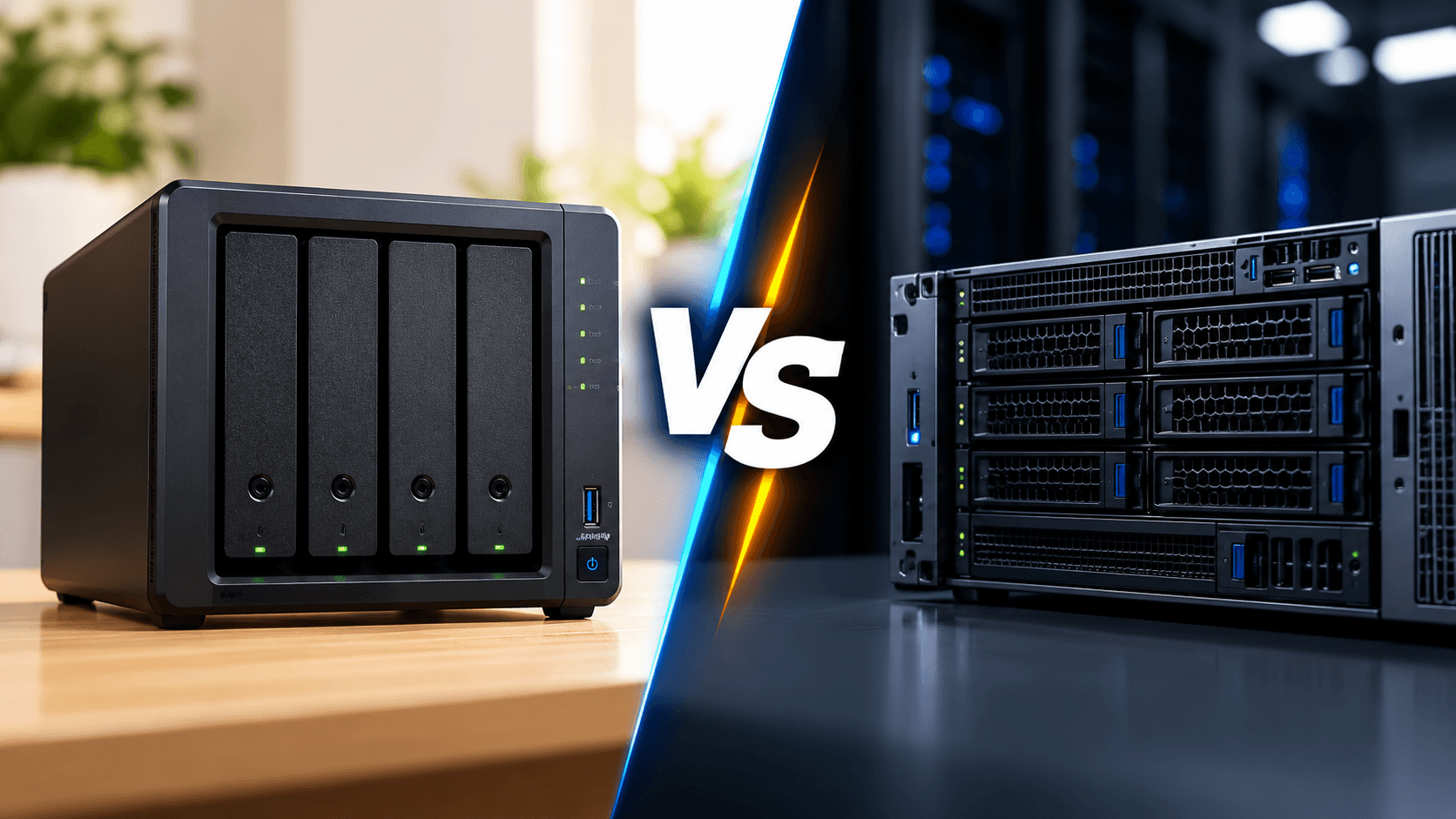
When you choose a storage solution for your home or business two options often appear: a Network Attached Storage (NAS) device and a server.
Both can hold files share data over a network. Allow many users. However they are made for purposes and picking the right one depends on workload, budget and technical needs.
A NAS is mainly made for storage and data management. A server is a flexible computer that can run applications, host databases manage users and handle complex tasks.
So which one should you pick? Let us look at the differences between NAS and servers.
What Is a NAS?
A Network Attached Storage (NAS) device is a storage system linked to your home or office network. It lets many users and devices reach files from one place.
NAS systems are made to make storage management easy and often have built‑in tools for backup, file sharing, synchronisation and media handling.
Common uses include:
- file storage for businesses.
- Automatic backups of computers and smartphones.
- Photo and video archives for creators.
- Shared folders for teams.
- Media. Surveillance recordings.
- Remote access to stored files.
NAS devices are usually easier to set up and manage than servers when the job is about storage.
What Is a Server?
A server is a computer built to give services, applications or resources to computers over a network.
Unlike a NAS a server can be set up for many different tasks. Depending on its hardware and software it may give storage run business apps, host websites manage databases or support machines.
Common server applications include:
- Hosting business software and databases.
- Running machines and development environments.
- Managing user accounts and network services.
- Hosting. Internal applications.
- Supporting enterprise workloads and computing tasks.
- Providing file storage.
Servers can be built with processors a lot of RAM, special networking and more storage to meet hard demands.
NAS vs Server: Key Differences
Feature | NAS | Server |
|---|---|---|
Primary purpose | Centralized storage | Computing and running services |
Setup | Generally simpler | Depends on workload and configuration |
File sharing | Built-in functionality | Requires suitable software and configuration |
Applications | Limited to supported applications and services | Broad range of operating systems and applications |
Virtualization | Available on selected models | Often better suited to demanding virtualization |
Storage expansion | Depends on drive bays and expansion support. | Depends on chassis, controllers, and configuration |
Maintenance | Generally lower for basic storage tasks | Can require more administration |
Cost | Often lower for storage-focused needs | Varies widely with hardware and workload |
Best suited for | File storage, backup, and sharing | Applications, databases, virtualization, and complex workloads |
The distinction is not absolute. Some NAS devices can run applications and virtual machines, while servers can provide excellent file storage. The difference lies in their design priorities and capabilities.
1. Performance: Which Is More Powerful?
A server is usually the pick for jobs that need lots of CPU power, memory and app processing.
For example businesses that run virtual machines, complex databases or heavy apps may benefit from server hardware built for those tasks.
A NAS focuses on storage. Many models give performance for file sharing and backups especially when they have good drives and fast networking.
For photographers and video editors a good NAS can give shared access to large files without needing a full server.
Verdict: Pick a server for heavy computing jobs and a NAS for storage jobs. Real performance depends on hardware, software and network set up.
2. Cost: Is a NAS Cheaper Than a Server?
For storage and backup a NAS is often cheaper because it has storage hardware and management software in one system.
A server may need money for memory, processors, storage controllers, operating systems, software licences and admin work depending on the job.
Servers come in many setups and a basic server may cost less, than a big NAS. The best comparison looks at cost of ownership including hardware, software, power, maintenance and support.
Verdict: A NAS is often the more cost-effective option when your main need is file storage.
3. Storage, Backup and Data Protection
Both NAS devices and servers can. Protect data but their abilities depend on how they are set up.
A NAS usually has tools for scheduled backups, snapshots, file versioning and RAID management. These features make a NAS for businesses that need to centralise data while avoiding a complex storage environment.
Servers can also provide storage and backup capabilities especially when set up with suitable storage software and hardware.
Regardless of which system you choose RAID is not a replacement for backup. Keep copies of important data ideally with an off‑site backup.
4. Security and Management
A NAS is generally easier to manage for file‑sharing needs. Its interface often gives controls for users, folders, permissions, updates and available security features.
Servers offer flexibility but may need more specialised knowledge to configure and keep secure.
For either solution use authentication limit unnecessary access, install updates and set up a recovery plan.
For businesses the right choice also depends on compliance rules, access policies and how important it is to keep services during hardware failures.
5. NAS vs Server: Which Is Better for Your Business?
The best solution depends on what your business wants to achieve.
Small businesses: A NAS is often enough for shared documents, employee backups and centralised storage.
Photographers and creative studios: A NAS can give a location for large photo libraries, video projects and team file access.
IT teams and software companies: A server may be more suitable for databases, development environments, virtual machines and applications that need computing resources.
Growing enterprises: A mix of NAS and servers can give storage together with dedicated application processing.
Can You Use a NAS and Server Together?
Absolutely. In fact many businesses benefit from using both.
A server can run applications, databases or virtual machines while a NAS gives shared storage and backup destinations.
For example a design studio could use a server for business applications and a NAS for project files shared assets and computer backups.
This approach lets each system do the role it handles best.
Depending on the workload a NAS may also give storage to a server over supported network protocols.
NAS vs Server: Which Should You Choose?
Choose a NAS if your main priorities are storage, file sharing, computer backups and easy management.
Choose a server if you need to run applications, host databases manage machines or handle demanding computing workloads.
Choose both if your business needs computing resources and reliable shared storage.
Before making a decision consider your workload, expected growth, performance needs, budget and IT management abilities.
At NAStown you can explore NAS products to find storage solutions for home, creative and business environments.
Frequently Asked Questions
1. Is a NAS the same as a server?
No. A NAS is mainly made for network storage while a server is a general‑purpose computing system that can run services. Some NAS devices can also run server applications.
2. Can a NAS replace a server?
For file sharing, backups and certain supported applications a NAS may replace the need for a separate server. It may not be suitable for demanding databases, virtualisation or specialised business applications.
3. Is a server faster than a NAS?
A server generally offers computing flexibility and may have more CPU and memory resources. However NAS devices can deliver storage performance. The result depends on the workload and hardware.
4. Is a NAS for small businesses?
Yes. A NAS can give file storage, user permissions, backups and shared access without the complexity of a full server environment.
5. Can a NAS run virtual machines?
Some NAS models support machines and containers but their performance and capabilities vary. Check the processor, RAM, operating system and manufacturers specifications.
6. Which is better for backups: NAS or server?
Both can be used as destinations. A NAS is often simpler to deploy for backups while a server may be better, for more specialised backup or application needs. Either way keep backup copies.
More from the blog
View all →
- RAID 1 explained
- what is RAID 1
- RAID 1 NAS
RAID 1 Explained: Mirroring, Capacity & Data Protection
Learn how RAID 1 works, its benefits, usable storage capacity, limitations, and when to use it in a NAS for reliable data protection.
26 Oct 2026 · 6 min read
- NAS for video editors
- best NAS for video editing
- NAS for 4K video editing
Best NAS for Video Editors: Storage & Performance Guide
Find the best NAS for video editors. Learn about 4K and 8K editing, RAID, network speed, storage capacity, and backup solutions.
26 Oct 2026 · 7 min read
- Best NAS for photographers
- NAS for photographers
- best photo storage solution
Best NAS for Photographers: Complete Buying Guide
Discover the best NAS for photographers. Compare storage capacity, RAID, backup, and performance to find the right NAS for your photo library.
26 Oct 2026 · 8 min read