- RAID 1 explained
- what is RAID 1
- RAID 1 NAS
- RAID 1 explained for beginners
- RAID 1 vs RAID 5
- RAID 1 storage capacity
- RAID 1 data protection
RAID 1 Explained: Mirroring, Capacity & Data Protection
Learn how RAID 1 works, its benefits, usable storage capacity, limitations, and when to use it in a NAS for reliable data protection.
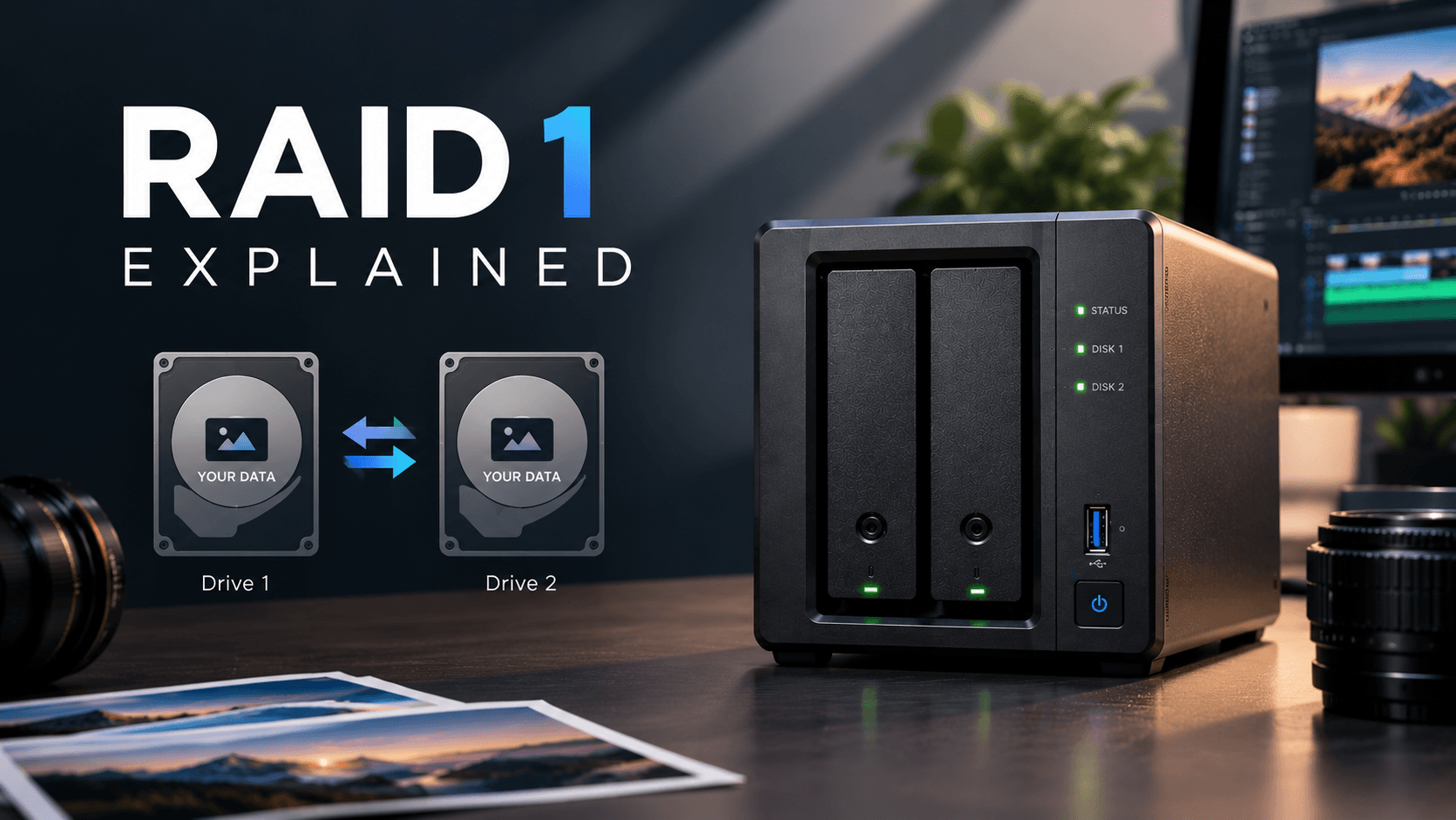
Choosing the correct RAID configuration when setting up your NAS is an important part of the storage process.
One of the easiest configurations to understand.
RAID 1 simply mirrors data between two drives. This means that if one drive fails, the data can still be accessed on the other drive.
However, there is a loss of storage space.
In this article we will take a look at what RAID 1 is, how much storage you can expect, benefits and limitations, and when to choose it for your NAS.
What Is RAID 1?
RAID 1 is a type of storage which mirrors data between two or more hard drives.
Typically, RAID 1 will mirror data between two drives. This means any data saved will be duplicated between both drives.
If one of the drives fail, the other can be used while you replace the failed drive.
RAID 1 is commonly used for NAS systems which need to keep data available and simple to manage.
How Does RAID 1 Work?
Let’s say you have installed two 8TB hard drives into your NAS and set it up as RAID 1.
When saving a 2GB video onto your NAS, the system will save it to both drives.
If one drive fails, the other drive will still have your files.
As long as your NAS is set up to do so, in most cases the system will be able to run in a degraded state. You can then replace the failed drive.
The main thing to remember here is that both drives will have a copy of the data. This means only one drive worth of storage is actually being used.
How Much Storage Can I Expect?
With RAID 1 you will not get the full amount of storage from both drives.
Drive configuration | Raw capacity | Approximate usable capacity |
|---|---|---|
2 × 4TB | 8TB | 4TB |
2 × 8TB | 16TB | 8TB |
2 × 12TB | 24TB | 12TB |
2 × 16TB | 32TB | 16TB |
So with two 8TB drives you would expect to get around 8TB of storage.
While RAID 1 is easy to understand, it may not be the most efficient in terms of storage for larger storage requirements.
Benefits Of RAID 1
Redundancy
In a typical 2 drive configuration, if one of the drives fail the other will still have a copy of your data. This means less downtime.
Easy to set up
This is an easy configuration to set up and manage. Great for home users and small businesses.
Continued Access To Data
Many NAS systems will be able to continue to function with just one drive. However, there will be limited redundancy until the failed drive is replaced.
Improved Read Speeds
Some RAID 1 configurations will be able to read from both drives. This can improve read speeds. However, this will depend on your NAS, RAID type and workloads.
Limitations Of RAID 1
Although RAID 1 can provide some redundancy there are some limitations.
- Less storage: Typically two drives of the same size will only give you one drive worth of storage.
- No protection from accidental deletion: Files will typically be deleted from both drives.
- No protection from ransomware: Malicious changes may show up on both drives.
- No protection from physical issues: If your NAS is stolen, on fire or damaged both drives could be affected.
- Data loss: If there is an issue whilst rebuilding, such as the second drive failing, you could lose data.
Remember that RAID 1 should be used as a form of redundancy.
RAID 1 vs RAID 5 - What’s The Difference?
Both RAID 1 and RAID 5 provide redundancy; however, they differ in how they use storage.
Feature | RAID 1 | RAID 5 |
|---|---|---|
Minimum drives | 2 | 3 |
Data protection method | Mirroring | Distributed parity |
Approximate usable capacity with 4 × 8TB | Not a standard four-drive RAID 1 comparison | 24TB |
Typical drive-failure tolerance | One drive in a two-drive mirror | One drive |
Capacity efficiency | Lower | Higher with more drives |
Best suited for | Simple two-drive setups | Larger arrays needing more usable capacity |
Overall, RAID 1 is often a great place to start for smaller NAS systems. While RAID 5 can give more storage when using multiple drives, it really depends on your data, hardware and recovery needs.
Is RAID 1 Good For A NAS?
Yes! If you have a 2 bay NAS for storing documents, personal photos and business files RAID 1 can be a good choice.
It can be very useful if you want an easy way to keep your data accessible should one drive fail.
However, if your storage needs are increasing quickly you may want to consider using a larger NAS with more bays and a different RAID configuration to give you more efficient storage.
Consider how much storage you need, how important it is to keep your system online and how much you are willing to spend. Also, consider if you have independent backups.
How To Set Up RAID 1 On Your NAS
Depending on your NAS brand and OS, the steps will vary slightly. However, it will be similar to the following:
- Install two compatible drives into your NAS.
- Go into your NAS storage settings.
- Create a new storage pool/volume.
- Set the storage type as RAID 1 or your NAS brand equivalent.
- Confirm and Initialise.
- Create shared folders, user permissions and backups.
Note: If you change or create a RAID configuration you may lose any data. Always back up any important files. Follow your NAS brands instructions.
Final Thoughts
RAID 1 is an easy way to add some redundancy to your NAS should a drive fail. By mirroring your data between 2 drives you can keep your files accessible.
However, you will lose some storage as both drives will have the same information.
Overall, RAID 1 can be a great option for home users, photographers and small businesses looking for a simple storage solution. However, if you have large archives you may want to consider a multi-bay NAS with a different RAID configuration to give you more efficient storage.
Remember, RAID is not a replacement for independent backups.
Take a look at our NAS products to find the perfect storage solution for your needs.
Want to keep your files safe? Choose a NAS with the correct redundancy options and create a backup strategy.
FAQ
What does RAID 1 mean?
RAID 1 is a type of storage which mirrors data between drives. This provides some redundancy should a drive fail.
How much storage can I expect?
With two drives the same size you will typically get one drive worth of storage. With two 8TB drives you would get around 8TB of storage.
Can I have a drive failure?
Typically yes. With a standard 2 drive RAID 1 mirror, you should be able to have one drive failure.
Is RAID 1 a backup?
No. RAID 1 will not protect you from accidental deletions, ransomware, theft, fire or anything else that could affect both copies. Always have independent backups.
Is RAID 1 better than RAID 5?
Not necessarily. RAID 1 is easier to set up with two drives. RAID 5 can give more storage with three or more drives.
Can I replace a failed drive?
Many NAS systems will allow you to replace a failed drive. Follow your manufacturers instructions and check the healthy status of the remaining drive.
More from the blog
View all →
- NAS for video editors
- best NAS for video editing
- NAS for 4K video editing
Best NAS for Video Editors: Storage & Performance Guide
Find the best NAS for video editors. Learn about 4K and 8K editing, RAID, network speed, storage capacity, and backup solutions.
26 Oct 2026 · 7 min read
- Best NAS for photographers
- NAS for photographers
- best photo storage solution
Best NAS for Photographers: Complete Buying Guide
Discover the best NAS for photographers. Compare storage capacity, RAID, backup, and performance to find the right NAS for your photo library.
26 Oct 2026 · 8 min read
- NAS vs server
- NAS vs file server
- NAS storage vs server
NAS vs Server: What's the Difference? Which Do You Need?
Compare NAS vs server for storage, performance, cost, security, and business use. Discover the right solution for your home or business.
26 Oct 2026 · 7 min read